How to Skip Rows in Azure Data Factory Pipeline's Excel Source

I've been working in and around SQL for over 3 decades.
I am currently working on making our business intelligence systems self-driven by using an event-based architecture. This involves providing curated data in some of the largest SQL Azure Analysis Services cubes ever built (over 6 billion records in 1 table alone).
I've developed several APIs leveraging a serverless Azure architecture to provide real-time data to various internal processes and projects.
Currently working on Project Dormouse; Durable select messaging queue that enables polling processes to extract specific messages.
I was building a data factory source the other day and I needed to skip the first 5 rows. This is intuitive and easy within a text (csv) source as there is a setting to skip the first N rows. In excel there is a 'Range' option which has as an example 'A1:B10'.
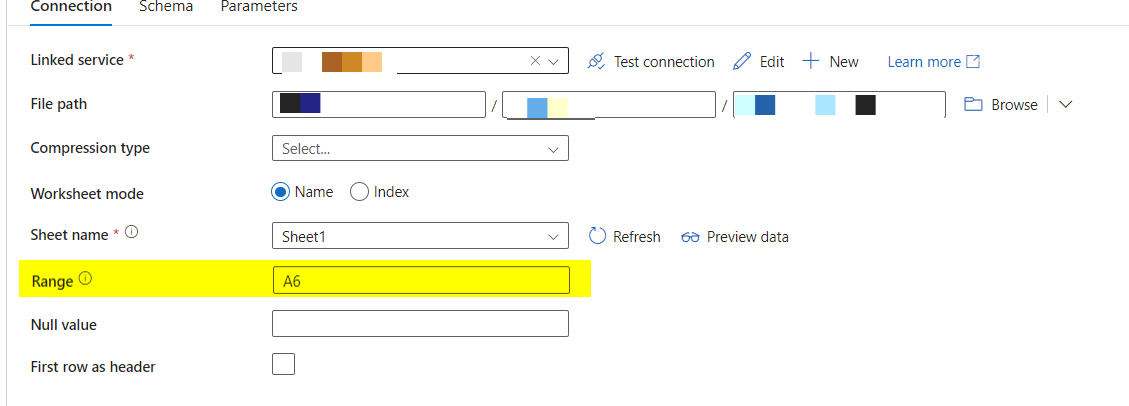
The example implies that you need to specify the entire area of the excel that you want to import. I simply put my starting point (5 lines down) and sure enough it took the entire excel, all columns, all rows, just skipping down 5 lines.
I know this is an incredibly small post and you might be wondering; "why post this?". I use this blog for 2 reasons. The first is I have an online, universally accessible set of notes. I routinely go to code something and say, "where did I put that formula, or code, or snippet, etc." and rather than trolling through sys.sql_modules or trying to remember the pipeline, I just come here.
The second reason is to help others find, what I believe are useful snippets to help others out.


